Severity Rules
Severity Rules allow you to define automated alerts for critical changes in your DHIS2 system. By setting up these rules, you can ensure that administrators are immediately notified via email when sensitive objects are modified, created, or deleted.
1. Severity Rules List
The main page displays all currently active rules in your system.
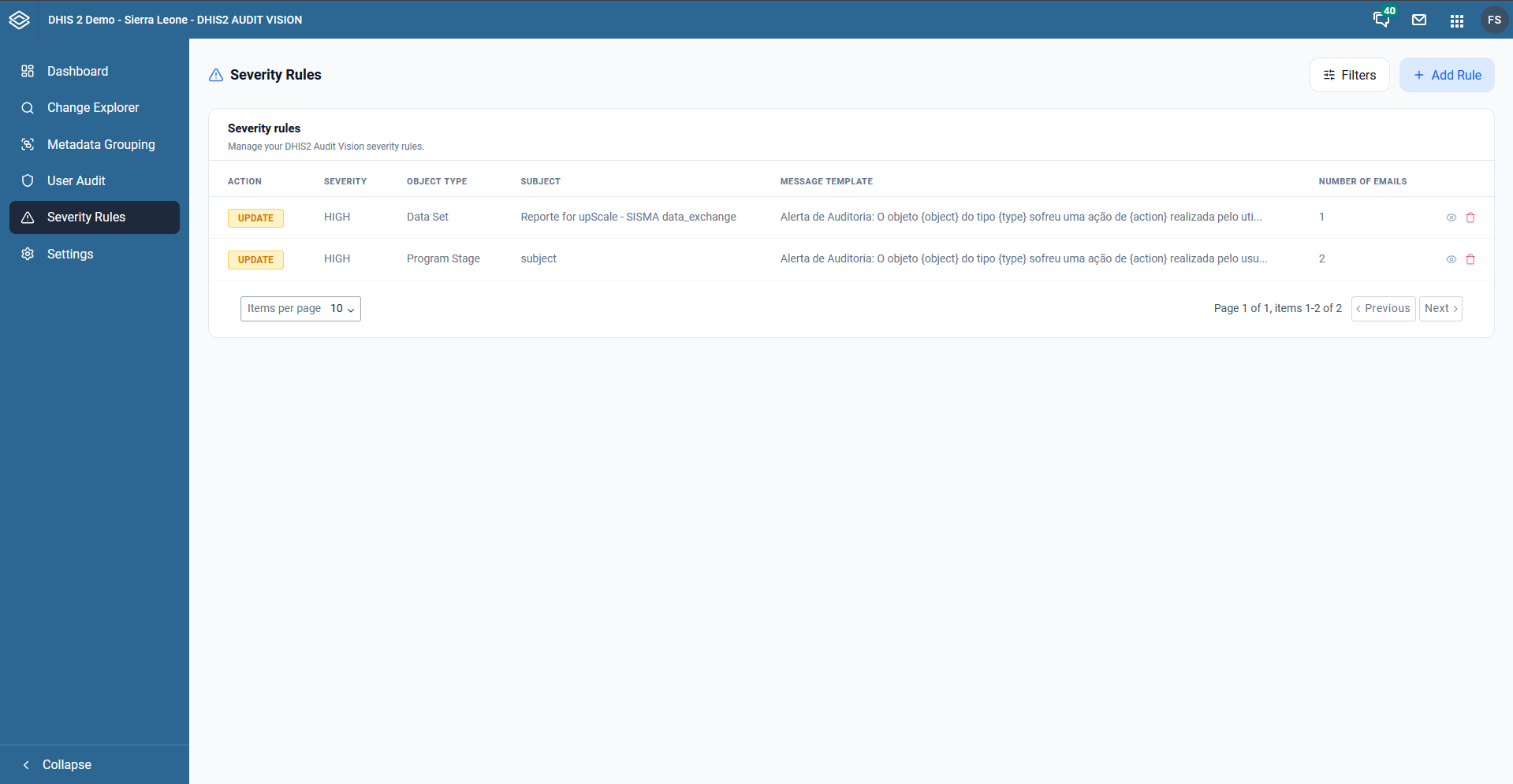
The list provides a summary of each rule:
- Action: The operation that triggers the rule (e.g., UPDATE).
- Severity: The priority level of the alert (e.g., HIGH).
- Object Type: The category of DHIS2 object being monitored (e.g., Data Set, Program Stage).
- Subject: The subject line used for the notification.
- Message Template: A preview of the automated message that will be sent.
- Number of Emails: How many recipients are configured to receive this alert.
2. Creating or Updating a Rule
When you add a new rule or edit an existing one, you can customize exactly how the alert should behave.
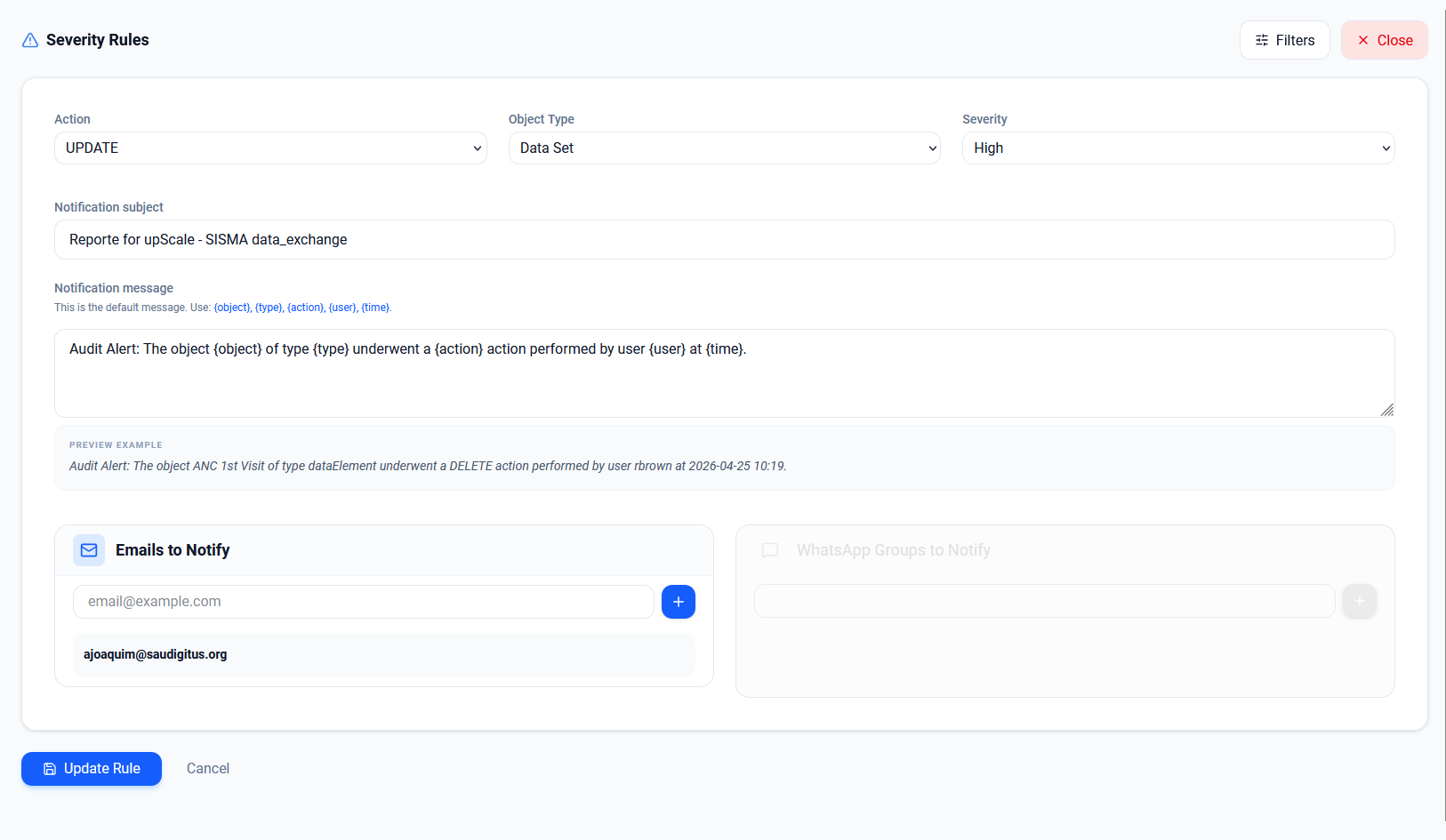
Configuration Fields:
- Action: Choose which operation triggers the alert (CREATE, UPDATE, or DELETE).
- Object Type: Select the DHIS2 metadata category to monitor.
- Severity: Assign a priority level (e.g., High, Medium, Low).
- Notification Subject: Define the subject line for the email alert.
- Notification Message: Customize the body of the alert message. You can use dynamic placeholders like:
{object}: The name of the affected object.{type}: The type of the object.{action}: The action performed.{user}: The user who performed the action.{time}: The timestamp of the change.
- Emails to Notify: Add the email addresses of the administrators who should receive the alert.
3. Real-time Monitoring
Once a rule is saved, DHIS2 Audit Vision will monitor every incoming audit log. If a change matches your criteria (e.g., an "UPDATE" to a "Data Set"), the system will automatically:
- Flag the change as "Risky" on the Dashboard.
- Send an email notification to all configured recipients with the details of the change.
Best Practices
- Monitor Sensitive Metadata: Create high-severity rules for deletions of Data Sets, Programs, or User Groups.
- Use Clear Templates: Ensure your notification message provides enough context for the administrator to understand the impact of the change.
- Targeted Notifications: Only add relevant personnel to the email list to avoid "alert fatigue."