User Audit
The User Audit section is designed to provide a deep dive into individual user activities within your DHIS2 instance. It helps administrators track who is making changes, how often, and the specific nature of those actions.
1. User Metrics (KPIs)
At the top of the User Audit page, you will find key statistics related to system access and activity:
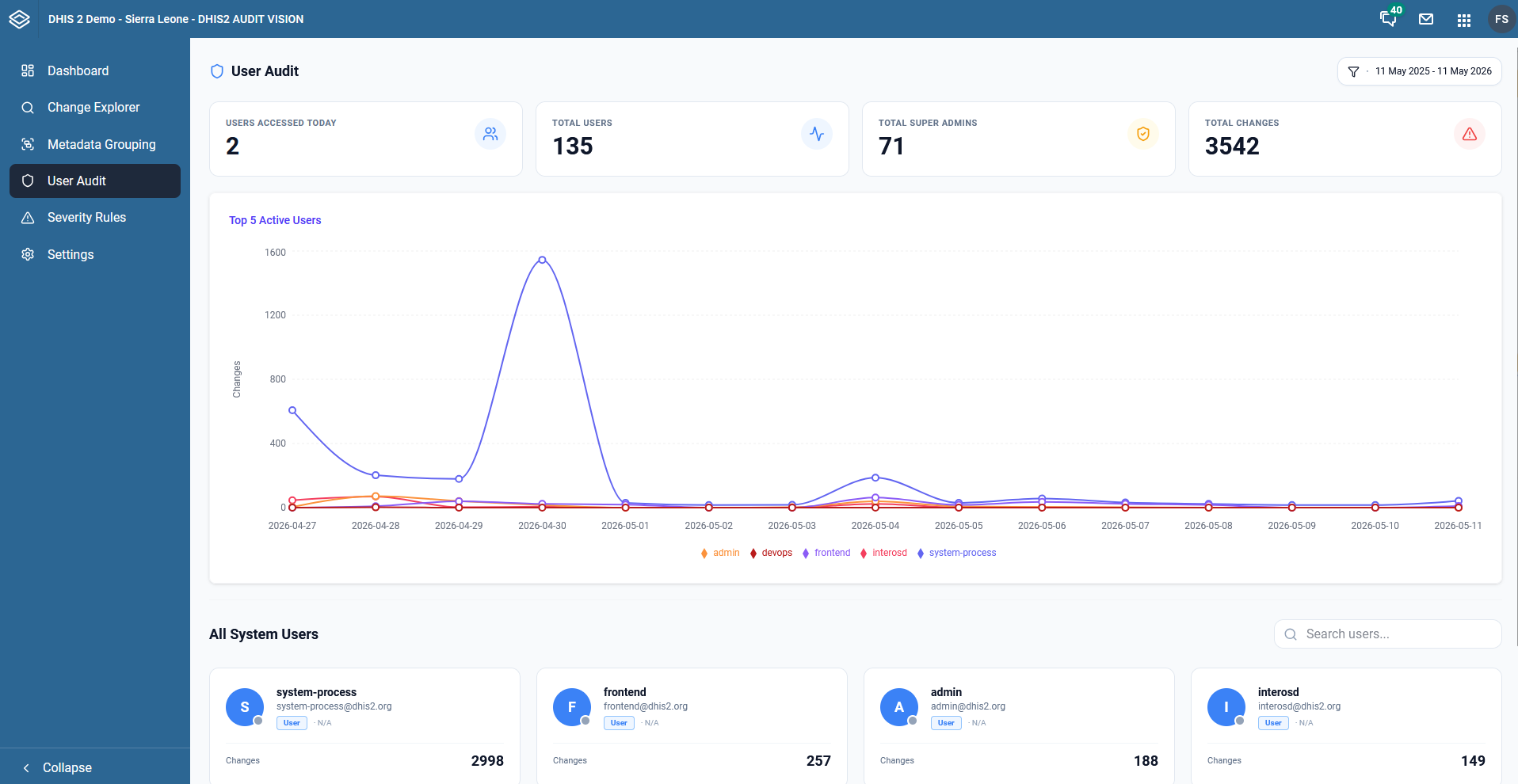
- Users Accessed Today: The number of unique users who have performed any action in the system today.
- Total Users: The total number of users currently registered in the DHIS2 instance.
- Total Super Admins: A count of users with high-level administrative privileges, helping you monitor sensitive account numbers.
- Total Changes: The cumulative number of audit logs generated by all users.
2. Top 5 Active Users Chart
This line graph tracks the activity levels of the top 5 most active users over time. Each line represents a different user (or system process), allowing you to:
- Identify who is responsible for activity spikes.
- Compare activity levels between different administrative or data entry accounts.
- Monitor system processes (like
system-processorfrontend) alongside human users.
3. All System Users List
Below the charts, you can find a searchable list of all users in the system, displayed as cards.
- Each card shows the user's name, email, and total number of changes they have generated.
- You can use the search bar to quickly find a specific user by name or email.
4. Individual User Activity Trail
By clicking on a user's card, a detailed sidebar opens showing the complete audit trail for that specific user.
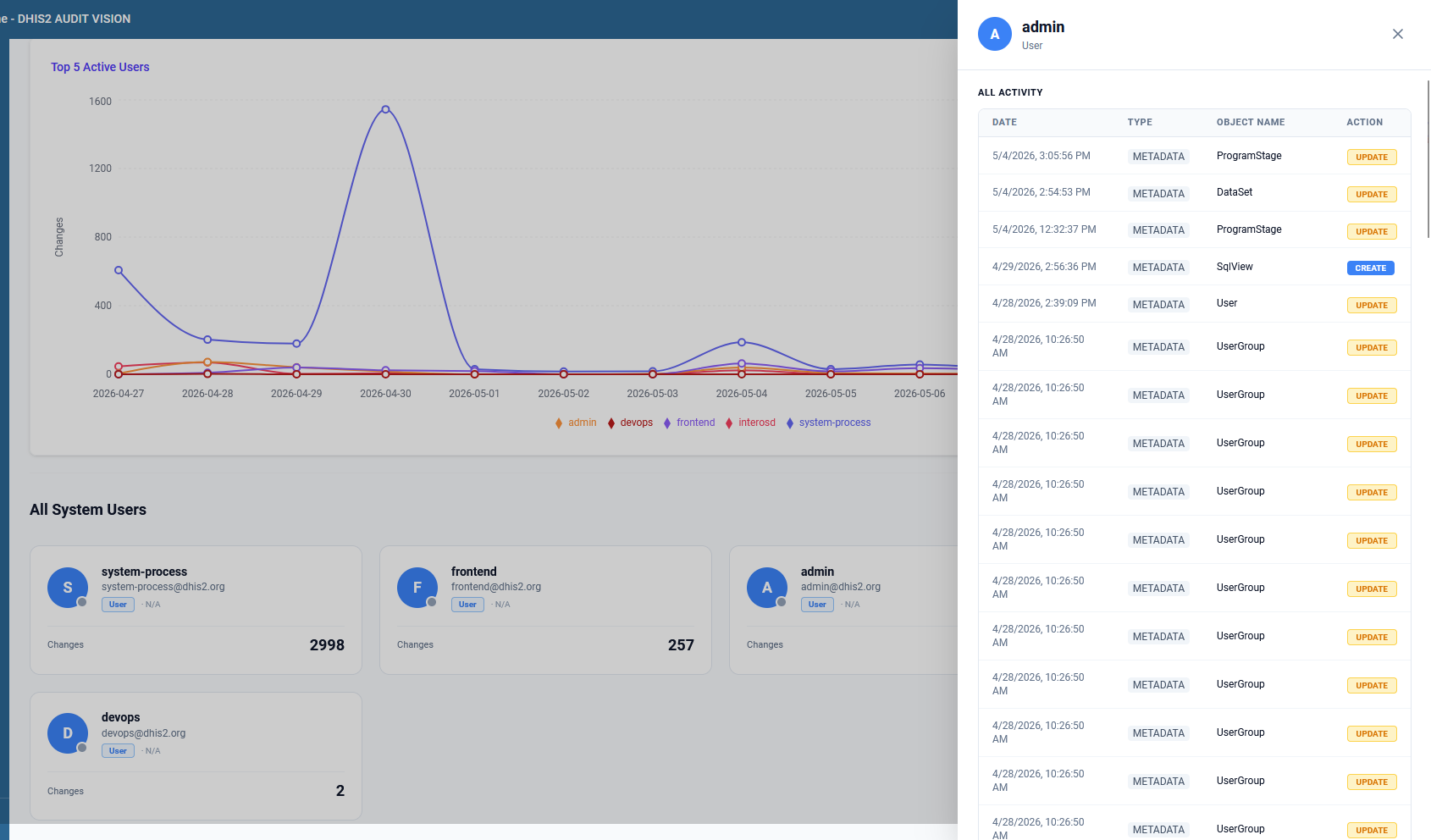
This All Activity view provides:
- Date: The exact time of each operation.
- Type: The category of the object (e.g., METADATA).
- Object Name: What specific object was affected (e.g., ProgramStage, DataSet, UserGroup).
- Action: The type of operation (CREATE, UPDATE, DELETE).
This granular view is essential for security audits, troubleshooting unauthorized changes, or simply understanding a user's workflow.
Use Cases for User Audit
- Security Investigations: Trace back exactly when and how a sensitive configuration was changed and by whom.
- Training Needs: Identify users who might be making frequent errors or performing unusual volumes of deletions.
- System Monitoring: Keep an eye on automated system processes to ensure they are performing as expected.